どのようなご用件でしょうか?
Why My P636 camera on NVR-PF10-4K has noise or no audio out? How to enable the audio storage?
Since the default audio format of SUNBA P-series cameras is AAC format (convenient for YouTube live streaming), but AAC format is not supported in the audio decoding format of NVR, so you cannot hear the sound of SUNBA P-series cameras in NVR (such as P625 V2 and P636 V2).
Solution:
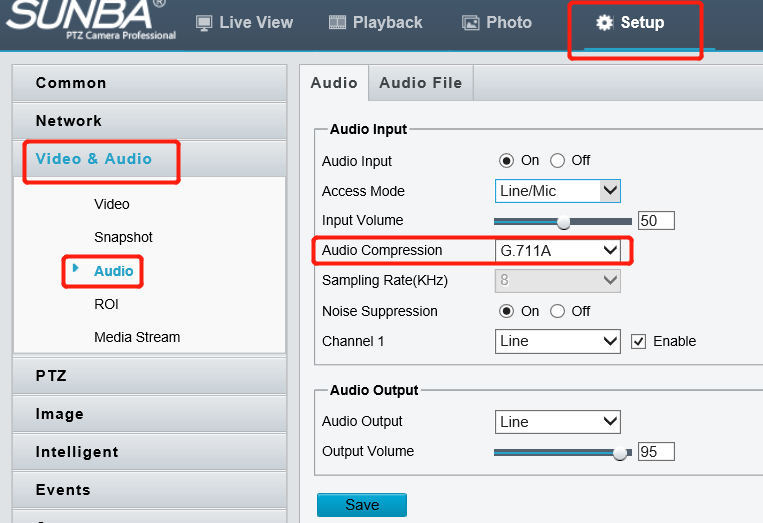
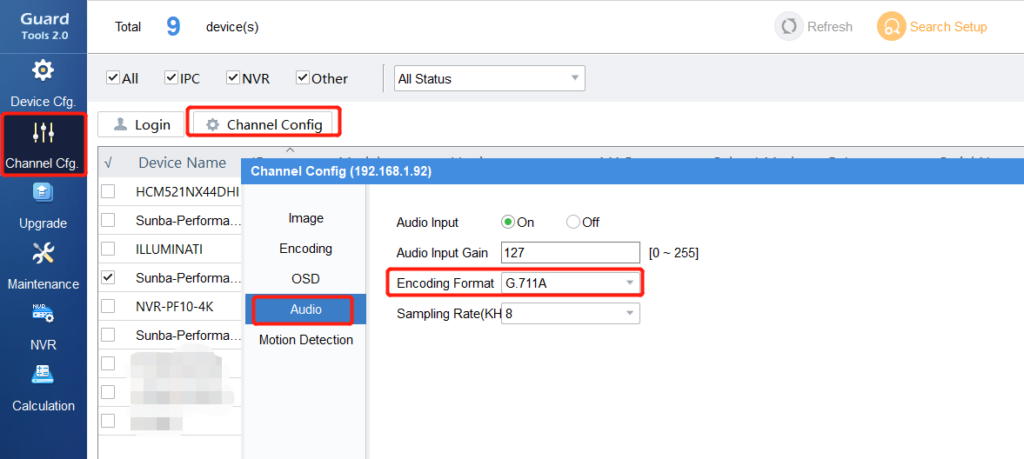
- Log in to the camera web interface, or use Gurad Tools 2.0 to open the camera parameters, and change the audio compression mode of the camera to G711A or G711U format. After the modification, the sound in the NVR will become good.
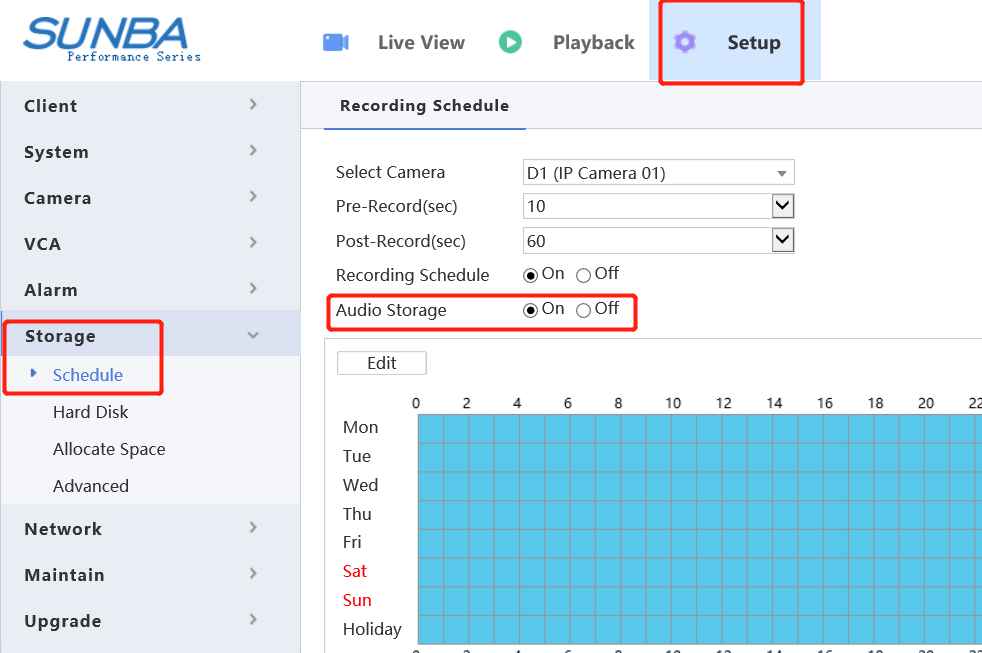
- Turn on the audio storage in the NVR (the default is off). After the audio storage is turned on, after you view the playback and download the video, the video will with audio, otherwise the recorded video will have no sound.